


Sistema CarPlay Moto X6 con Dash Cam 2K
Shop with confidence


Interfaccia Smart Ride da 6,25"
Goditi la massima libertà con CarPlay e Android Auto wireless senza interruzioni. Il display HD da 6,25 pollici del CPMC X6 offre il perfetto 'rapporto aureo', fornendo una navigazione nitidissima e accesso alle app. Tieni il telefono al sicuro in tasca—evitando il rischio di danni da vibrazione alla tua telecamera—mentre usi navigazione e musica su uno schermo progettato per la strada.

Doppie Telecamere 2K Ultra-HD
Il CPMC X6 è dotato di telecamere anteriori e posteriori 2K con obiettivo grandangolare da 140°, offrendo dettagli più nitidi e una copertura stradale più ampia rispetto alla maggior parte delle dash cam per moto 1080P sul mercato. Cattura di più ciò che conta—dal traffico circostante ai momenti critici—garantendo prove più chiare e maggiore sicurezza di guida in ogni situazione.

Avviso Attivo Angolo Cieco
L'X6 è dotato di un sistema intelligente di Rilevamento Angolo Cieco (BSD) che monitora i veicoli che si avvicinano da dietro entro un raggio di 15 metri. Quando un veicolo entra nel tuo angolo cieco, il display mostra un avviso lampeggiante rosso, aiutandoti a mantenere la consapevolezza durante i cambi di corsia e i sorpassi. Il sistema è progettato per rilevare solo veicoli, evitando avvisi inutili da pedoni o oggetti non legati al traffico.

Monitoraggio della pressione dei pneumatici in tempo reale
Il CPMC X6 supporta il monitoraggio in tempo reale della pressione degli pneumatici, permettendoti di controllare lo stato della pressione direttamente sul display mentre guidi. Rilevando precocemente variazioni anomale di pressione, il sistema aiuta a ridurre il rischio di problemi legati agli pneumatici, migliorando la sicurezza e la stabilità complessiva sia nei tragitti quotidiani che nelle lunghe percorrenze.

Supporto Telecomando Cablato
L'X6 supporta un telecomando cablato montato sul manubrio, che ti permette di cambiare facilmente canzone, rispondere alle chiamate o passare da una visuale della telecamera all'altra senza mai dover toccare lo schermo. Tutto rimane a portata di mano, aiutandoti a usare il sistema rapidamente e in sicurezza mentre resti concentrato sulla strada davanti a te.

Doppie opzioni di alimentazione
ACC o USB Scegli la configurazione che si adatta alla tua moto. Il CPMC X6 supporta sia l'alimentazione ACC cablata per un'installazione pulita e permanente che si avvia con l'accensione, sia l'alimentazione USB per una configurazione rapida plug-and-play. Che tu voglia un'integrazione professionale o la flessibilità di spostare il dispositivo tra diverse moto, abbiamo la soluzione per te.

Pulsante fisico
L'X6 dispone di un pulsante fisico dedicato situato nella parte superiore del display, che ti permette di spegnere immediatamente il display o bloccare lo schermo. Questa è la soluzione perfetta per evitare tocchi accidentali durante forti piogge o mentre regoli la tua attrezzatura, garantendo che la navigazione rimanga precisa e senza distrazioni.

Interfaccia multilingue
L'X6 supporta 23 lingue diverse, rendendo facile per i motociclisti di tutto il mondo usare il sistema nella loro lingua preferita. Con un'interfaccia chiara e intuitiva, la configurazione e l'uso quotidiano sono semplici e accessibili, ovunque ti porti il viaggio.
Dimensioni prodotto e confezione


Specifiche del sistema CarPlay per moto X6
- Sistema: Linux
- Chipset principale: Allwinner V853
- Processore: ARM Cortex-A7
- Materiale: ABS
- Intervallo di temperatura: -20°C a 65°C
- Dimensione del display: 6,25 pollici
- Risoluzione: 1560 × 720p
- Luminosità: 800cd/㎡
- Risoluzione videocamera anteriore: 2K
- Angolo di visuale della videocamera anteriore: 140°
- Risoluzione videocamera posteriore: 2K
- Angolo di visuale della videocamera posteriore: 140°
- Frequenza fotogrammi della videocamera: 30fps
- Registrazione in Loop: Supportata
- Sincronizzazione Audio-Video: Supportata
- Riproduzione App: Supportata
- Scheda TF Inclusa: 64GB
- Supporto Max Scheda TF: 128GB
- GPS: Sì
- Wi-Fi: 2.4G / 5.0G
- Bluetooth: 4.2
- Schermo Diviso: Supportato
- Lunghezza del telecomando cablato: 90cm
- Dimensione della sfera di montaggio: 25mm
- Intervallo dimensioni foro di montaggio: 22-25mm
- Materiale della staffa: Metallo
UPDATE!:
I'm a fool. I had accidentally swapped the connection to the cameras and the rear camera was showing as front. I connected the cameras properly and now camera mirroring works! My apologies.
I bought this to augment/replace my Garmin Zumo XT which was double the price and 5x the aggravation.
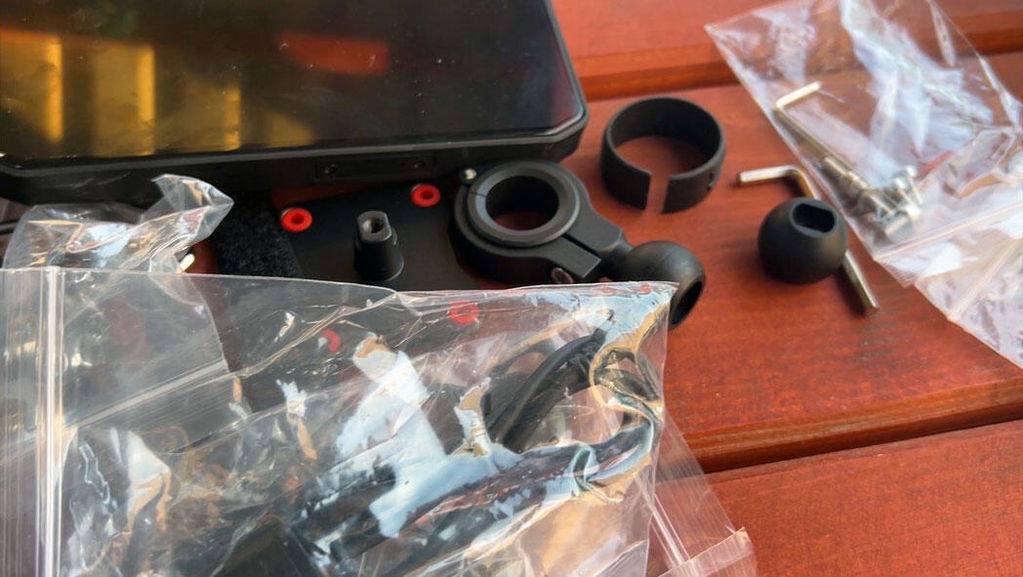
The X6 is a very decent system that gives you everything you would need at a reasonable price. It works 90% out of the box and a little research to close any gaps. There are a lot of cables to route, but nothing that can't be overcome with a little planning. Everything is clearly labeled.
For example:
TPMS can be a bit of a faff, but the YouTube video is helpful and you just need to get the sequence right. Start the pairing first and then screw the sensors on. Rinse, wash, repeat until paired.
Accessing videos was a mystery until I realized I need to connect using the unit's Wi-Fi, not Bluetooth connection. It is probably easier to just plug the USB connection into a laptop in the end.
I couldn't get the rear camera L/R mirror function to work so I have to do a mental flip when I look behind me. Currently, a car on my aft right appears aft left on the screen. I don't really appreciate extra cognitive workload while I'm riding as it may be dangerous in a panic situation. Any tips to sort this out?
The software is a little half baked in spots (e.g. no scroll bars, text hard to read on background, not always intuitive). Please hire a programming student with a bit of usability heuristics knowledge to clean up the usability bugs. These should be easy fixes and the student would have a nice addition to their CV.
The system can take a while to fully boot to Android Auto. I'm usually a ways down the road before everything is running. AA doesn't always come up so I have to shut the system down and reboot. I have it connected to a Healtech Thunderbox (great gadget btw) so that may introduce some startup delay.
The little red onscreen lock/unlock button is easy to miss, thus I often peck away at the screen until I realize its locked.
Overall though, I'm quite happy with the dollar to function/quality ratio. I would heartily recommend.
Hi Guzzi,
Thanks so much for your thoughtful review – we really appreciate it, and we're glad you're enjoying the X6 overall!
For the rear camera mirror issue, could you please go into Settings > Back Camera Mirror and adjust the setting there? That should flip the image to the correct orientation.
Also, we've taken note of your comments about the software interface and usability. We've passed them straight to our engineers and will look into improving these points in future firmware versions. Feedback like yours is exactly what helps us grow.
Thanks again, and ride safe!
I have been using the X6 Motorcycle CarPlay System for everyday riding, and overall I am very satisfied with it. Wireless CarPlay connects reliably, Waze is ready by the time I put on my gloves, and my phone can finally stay safely in my pocket.
The front and rear 2K cameras start recording automatically and provide perfectly usable footage for documenting traffic situations. The TPMS sensors are also a genuinely useful safety feature, while the wired handlebar controller makes the system much easier to operate when wearing gloves.
Installation is not difficult, although routing all the cables neatly takes some time. I would also appreciate automatic screen brightness adjustment, and the mounting bracket could feel a little sturdier.
Despite these minor drawbacks, the X6 offers an excellent combination of navigation, dash cams and safety features for the price. It has made everyday riding simpler, and after getting used to it, I would not want to go back to mounting my phone on the handlebar.
https://youtube.com/watch?v=ryTVtJk8dSI&is=kO05yKmLBz3JnbqH
Thank you so much for this detailed and valuable review of our X6 Motorcycle CarPlay System!
We are thrilled that it serves you well in your daily rides. It makes us happy to hear the reliable wireless CarPlay connection, auto-recording 2K front & rear cameras, practical TPMS and glove-friendly wired handlebar controller bring you great convenience and safety.
We have noted your feedback about auto screen brightness and sturdier mounting bracket. Your suggestions are very helpful for us to improve our product continuously.
It is totally understandable that tidying up all the cables will take a little extra time during installation.
We are glad our all-in-one unit replaces the old phone mount solution for you. Wish you many safe and comfortable rides ahead. Please feel free to contact our support team if you meet any questions later.
Thank you for everything.
You're very welcome! It’s our pleasure to help you. If you run into any issues or need further support in the future, please don’t hesitate to reach out to us. Wish you a great day!
Thanks for the instructions and I solved the problem
Thank you for your confirmation! We're very glad to hear that the instructions helped you resolve the issue.
If you ever need any further assistance, please don't hesitate to reach out.
Wishing you all the best!
I made a mistake in the previous comment TPMs doesn’t connect to the device ( not the phone to the device)
Thank you for your comment, and we're sorry to hear about the trouble you've had with the TPMS pairing and the screen display.
For the TPMS pairing issue, please follow the step-by-step instructions below:
Step-by-step pairing instructions:
On the CPMC X6 screen, select the tire position you want to pair → click 'Binding' → confirm.
Quickly screw the sensor tightly onto the valve stem.
If the screen shows no response, don’t worry — simply loosen the sensor slightly, then tighten it again.
Repeat this loosen → tighten cycle a few times. The sensor should successfully connect.
Why do you need to try this several times?
Our TPMS sensors include a special power-saving design (a 'wake-up membrane') to prevent them from transmitting continuously, which would drain the battery much faster.
The sensor requires multiple wake-up attempts before it fully activates into pairing mode.
This is not a defect. Your sensor is working properly — it just needs a little extra attention to wake up.
For a visual guide, please check out this tutorial video:
👉 https://www.youtube.com/watch?v=FSoraqqrAsM
Regarding the screen background:
We've updated the UI design based on customer feedback. Rest assured, the product itself is exactly the same.
If you prefer the old UI, you're welcome to email us at support@carplaymotorcycle.com and we'll send you the firmware update to restore the previous interface.
Please let us know if you continue to experience any issues — we're here to help.
CPMC CarPlay Motorcycle Team
CPMC X6 in Action


